Enterprise AI GPU Data Security at End-of-Life — Part 1: Hardware Architecture and Per-Layer Sanitization
How the VBIOS, HBM, and BMC of an NVIDIA A100/H100 actually behave at disposal — and exactly what IEEE 2883-2022 requires at each layer.
GPU Resource, in partnership with Cirkadis | June 2026 | Part 1
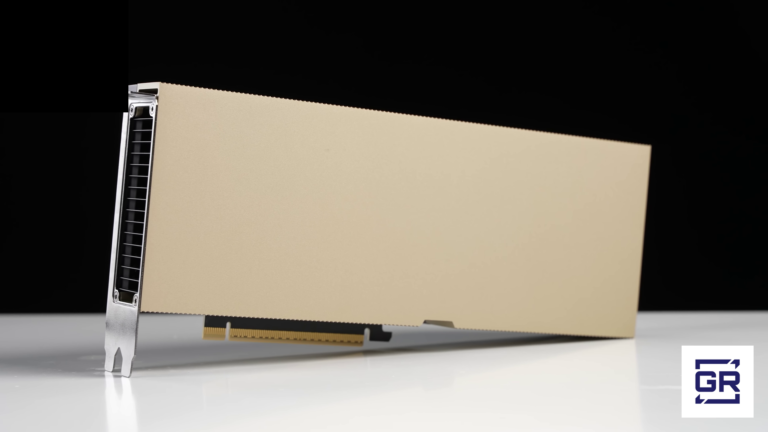
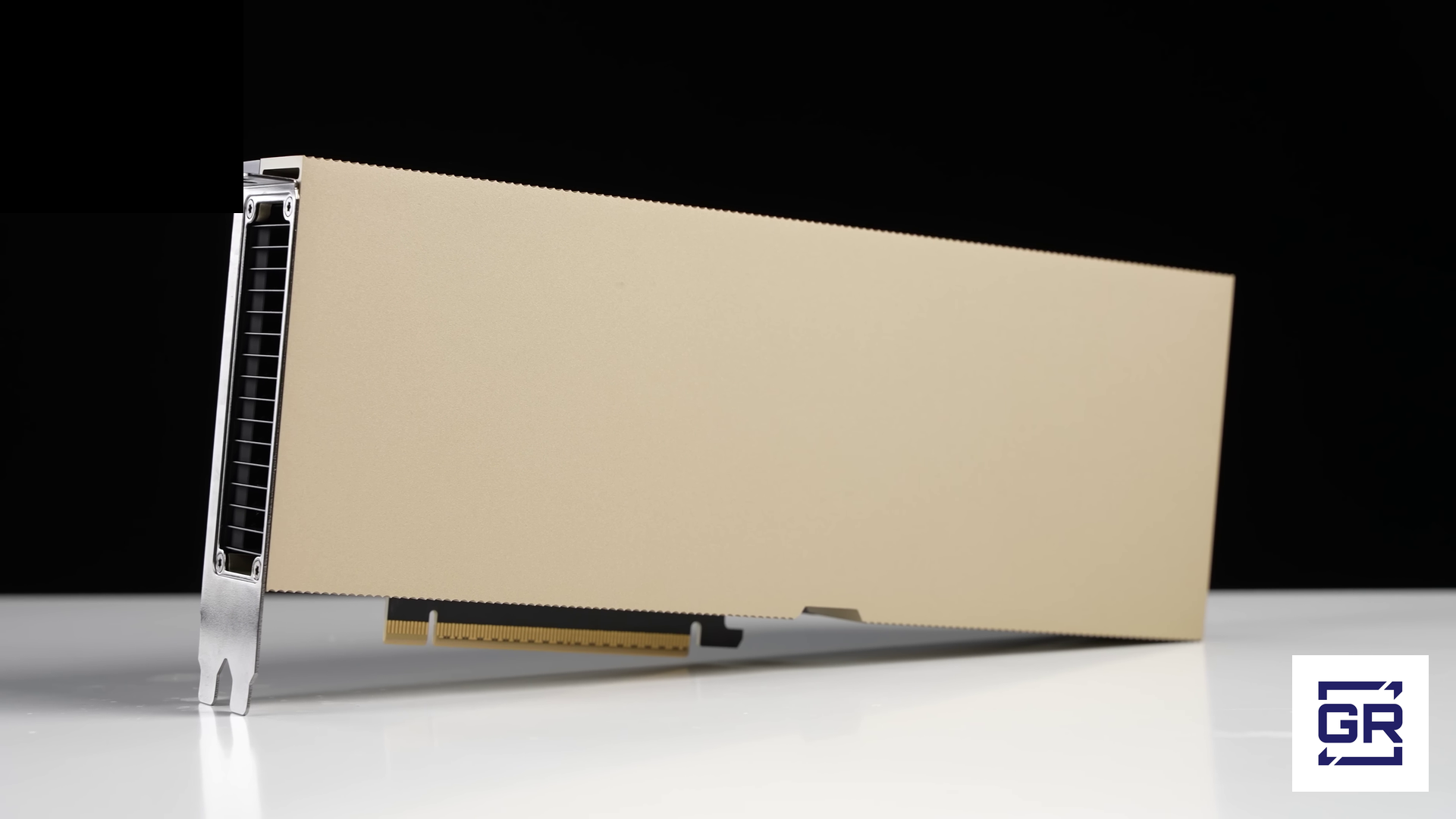
Enterprise AI accelerators such as the NVIDIA A100 and H100 are not single-medium devices. Each card and its host baseboard combine several distinct storage technologies — non-volatile firmware flash, volatile high-bandwidth memory, and an always-on management controller — that behave very differently when the system is powered down, removed, or transferred to a new owner. This first paper examines that architecture layer by layer, establishes the data-security risk each layer actually presents at end-of-life, and maps each to the published sanitization method in IEEE 2883-2022. A second paper applies these findings to the realities of the IT asset disposition (ITAD) and secondary-market channel.
Research conducted by GPU Resource in partnership with Cirkadis, a leading aftermarket processor of GPUs, whose lab testing on retired DGX A100 and H100 systems validated the technical claims in this article. Cirkadis is a sponsor company to GPU Resource.
Understanding the Hardware: How A100 and H100 GPUs Are Actually Built
Enterprise AI GPUs like the NVIDIA A100 and H100 are not simple graphics cards. They are sophisticated multi-component systems, each with distinct memory technologies, firmware layers, and management subsystems — and each behaving differently when a GPU is powered down, removed from a server, or transferred to a new owner.
Three layers define the data security challenge at disposal:
Layer 1: VBIOS (Video BIOS) — Non-Volatile Firmware Storage
The VBIOS is the GPU’s firmware layer — the code that initializes the hardware, manages power states, and defines core operational parameters. It is stored in SPI NOR flash memory, a non-volatile storage medium soldered directly onto the GPU’s printed circuit board. This memory requires no power to retain its contents. Pull an H100 out of a server, ship it across the country, leave it in a warehouse for a year — the VBIOS is intact and unchanged.
Across the system’s deployment life, the VBIOS may be updated multiple times to specific signed firmware versions — each version carrying NVIDIA-published changes to power tables, clock profiles, security patches, and feature enablement. Modern data-center GPUs enforce signed-firmware verification, so production customization happens at the level of which official signed image is flashed and what runtime parameters are applied via nvidia-smi and SMBPBI — not via unsigned VBIOS modifications, which the signing chain blocks. NVIDIA’s DGX H100 and A100 firmware update documentation confirms that VBIOS versioning is tracked per-GPU on the baseboard, with each card carrying its own flashed image — making the specific firmware version and update history on a retired GPU a durable record of how the asset was managed.
Source: NVIDIA DGX H100/H200 Firmware Update Guide — docs.nvidia.com/dgx/dgxh100-fw-update-guide/sequence.html [1]
From a security standpoint, the non-volatile nature of VBIOS flash creates a durable data artifact. In adversarial scenarios, firmware-level persistence is a well-documented attack vector: malicious code embedded in a VBIOS survives OS reinstalls, driver wipes, and power cycles. NVIDIA has itself published security advisories for vulnerabilities in the FSP (Firmware Security Processor) code embedded in vBIOS used in DGX and HGX products, confirming that the GPU firmware layer is a live attack surface that NVIDIA actively patches. More commonly in the ITAD context, the specific signed VBIOS image flashed on a retired GPU — including any platform-specific enablement, customer-specific feature unlocks, or version-dated security patches — represents fingerprinting data that reveals information about the originating deployment environment.
The only way to return a GPU’s VBIOS to a verified clean state is a factory-signed re-flash using NVIDIA’s official firmware. A simple power cycle or OS reinstall does not touch it.
Layer 2: HBM (High-Bandwidth Memory) — Volatile, Like Conventional Server Memory
The H100’s high-bandwidth memory is a different technology entirely from VBIOS or BMC flash. The SXM variant uses HBM3 — five stacks of 3D-stacked DRAM delivering 3.35 TB/s of memory bandwidth (3,350 GB/s per the H100 SXM5 datasheet). The PCIe variant uses HBM2e with over 2 TB/s of bandwidth. The A100 80GB uses HBM2e across both SXM and PCIe form factors; the earlier A100 40GB (launched May 2020) used HBM2. [2]
Source: NVIDIA Hopper Architecture In-Depth — developer.nvidia.com/blog/nvidia-hopper-architecture-in-depth/ [2]
HBM is volatile DRAM. Like the DDR4 or DDR5 memory installed in a conventional server, it requires continuous power to hold data — and its contents are lost completely and permanently when power is removed. This is a fundamental property of DRAM technology, not a configuration option.
From an ITAD disposal standpoint, this means HBM behaves the same way server RAM always has: powering the system down eliminates the data. Standard ITAD practice does not require wiping DDR4 or DDR5 server memory before remarketing, precisely because the physics handle it. The same logic applies to HBM. An ITAD professional handling a retired H100 does not need to treat HBM as a durable data artifact — because it isn’t one.
HBM does create a documented security concern in one context — not at disposal, but in running multi-tenant environments. NVIDIA’s CUDA runtime does not clear GPU memory between allocations or between processes by default. This is explicitly documented behavior, not a bug.
Source: NVIDIA CUDA Runtime API documentation: “The allocated memory is suitably aligned for any kind of variable. The memory is not cleared.” — docs.nvidia.com/cuda/ [3]
In a running system where multiple workloads share a GPU — cloud GPU instances, containerized inference environments, shared research clusters — this non-clearing behavior has been exploited by researchers to recover sensitive data across process boundaries. A decade of peer-reviewed security research has documented recovery of credentials, rendered web content, credit card numbers, and most recently CNN and LLM data and inference outputs from GPU memory residues. Findings span the IEEE Symposium on Security and Privacy, Financial Cryptography, PoPETs, ACM CCS, IEEE EuroS&P, and USENIX Security from 2014 through 2024 — including Pustelnik et al. (EuroS&P 2024) and Guo et al. (USENIX Security 2024) demonstrating the threat model on H100-class hardware. [4]
Source: Lee et al., “Stealing Webpages Rendered on Your Browser by Exploiting GPU Vulnerabilities,” IEEE S&P 2014 — recovered rendered web content with 95.4% accuracy. Maurice et al., “Confidentiality Issues on a GPU in a Virtualized Environment,” Financial Cryptography 2014 — cross-VM GPU data recovery. Zhou et al., “Vulnerable GPU Memory Management: Toward Recovering Raw Data from GPU,” PoPETs 2017 — credit card numbers and credentials. Naghibijouybari et al., “Rendered Insecure: GPU Side Channel Attacks are Practical,” ACM CCS 2018 — leading to CVE-2018-6260. Pustelnik et al., “Whispering Pixels: Exploiting Uninitialized Register Accesses in Modern GPUs,” IEEE EuroS&P 2024 — CNN and LLM data leakage. Guo et al., “GPU Memory Exploitation for Fun and Profit,” USENIX Security 2024 — covering Volta and newer architectures. Secondary synthesis: Barrack AI, blog.barrack.ai/nvidia-cuda-never-clears-gpu-memory/ [4]
The narrow exception for ITAD professionals to be aware of: certain highly regulated environments — particularly government, defense, and intelligence community frameworks — require documented evidence that a sanitization procedure ran, rather than accepting power-off physics as sufficient proof. In those contexts, running and logging a memory-clear operation before power-down provides an auditable record that “we powered it off” does not. For mainstream enterprise ITAD work, this is a niche requirement rather than a standard one. The non-volatile data security risks in GPU disposal are concentrated in the VBIOS and BMC layers.
Layer 3: BMC (Baseboard Management Controller) — The Most Overlooked Risk
The BMC poses the most durable security risk of the three hardware layers at disposal.
The Baseboard Management Controller is a dedicated microcontroller embedded on the DGX system board (not on the GPU card itself in PCIe configurations, but integral to the HGX baseboard in SXM configurations). It runs its own operating system — typically an embedded Linux stack — on its own processor, powered by a standby power rail that operates independently of the main GPU power state. Its firmware is stored in non-volatile flash. It has its own dedicated network port. It retains its configuration and stored data when the main system is powered off, when GPUs are removed, and when the system is powered down for shipping.
NVIDIA’s own DGX documentation makes clear what the BMC stores and manages:
- Administrative credentials: The BMC ships from the factory with default credentials (admin/admin on DGX Station A100). During first boot, operators configure custom administrator credentials that are stored in BMC non-volatile memory. Any subsequently created accounts, modified passwords, or integrated directory service configurations (Active Directory, LDAP) persist in the BMC.
- Network configuration: Static IP addresses, VLAN assignments, subnet masks, and gateway configurations are all stored in BMC non-volatile memory and persist across power cycles and GPU removal.
- IPMI and Redfish telemetry: The BMC logs operational events, sensor readings, power events, and remote access sessions. This telemetry can reveal information about workload patterns, maintenance history, and administrative access.
- Remote management certificates and keys: In managed environments, the BMC may store TLS certificates and associated private keys used for Redfish/HTTPS management interfaces.
Source: NVIDIA DGX H100/H200 User Guide (BMC chapter): credentials, network config, and IPMI management configuration are stored in BMC firmware. NVIDIA recommends dedicated management VLANs and strong credential practices. — docs.nvidia.com/dgx/dgxh100-user-guide/bmc.html [5]
NVIDIA has publicly acknowledged multiple BMC security vulnerabilities in DGX systems, including CVE-class findings in the AMI BMC firmware used across DGX-1, DGX-2, and DGX A100 platforms — most notably CVE-2020-11483 (CVSS 9.8, hardcoded BMC credentials). Security bulletins cite risks including remote code execution, elevation of privileges, and information disclosure — all via network access to the BMC port. This is not a closed historical issue: NVIDIA published an additional DGX and HGX HMC/BMC security bulletin in September 2025 (Bulletin 5692), confirming that the BMC remains an active and recurring vulnerability surface across NVIDIA’s high-end AI hardware line.
Source: NVIDIA Security Bulletin 5010: AMI Baseboard Management Controller (BMC) Firmware Vulnerabilities in NVIDIA DGX-1, DGX-2, and DGX A100 Servers — nvidia.custhelp.com/app/answers/detail/a_id/5010 [6]; and NVIDIA Security Bulletin 5692 (September 2025): NVIDIA DGX and HGX HMC and BMC — nvidia.custhelp.com/app/answers/detail/a_id/5692 [6b]
A GPU cluster that was managed by an enterprise IT team may have BMCs containing credentials that are still valid on the organization’s management network, network topology data revealing internal infrastructure, and VLAN configurations that could aid lateral movement. Unlike HBM, which at least clears at power-off, the BMC retains this data indefinitely, independently, regardless of what happens to the GPU it manages. In Cirkadis lab testing on retired DGX A100 and H100 systems, BMC factory-reset attempts using publicly available Redfish commands successfully reset configuration to defaults but were unable to reflash the BMC firmware itself without access to NVIDIA’s signed firmware bundle — an early empirical confirmation of the access constraint we examine in detail below.
Architecture Summary: Data Security Profile at Disposal
| Layer | Volatile? | Persists After Power-Off? | Primary Risk at Disposal |
|---|---|---|---|
| VBIOS | No — NV flash | Yes, indefinitely | Custom firmware, operational config, potential persistence vectors |
| HBM (VRAM) | Yes — volatile DRAM | No (clears at power-off) | Not a standard disposal concern; niche documentation requirement in gov/defense frameworks only |
| BMC | No — NV flash | Yes, indefinitely | Admin credentials, network config, VLAN/LDAP data, access logs |
What Happens to That Data When a GPU Leaves Your Environment
With the architecture understood, the data security risks at disposal become concrete rather than theoretical. There are three distinct risk categories, each corresponding to one of the hardware layers above.
The VBIOS Risk: Persistent Operational Fingerprinting
When an H100 or A100 leaves an enterprise environment with its VBIOS unchanged, it carries a non-volatile record of how it was configured. In most cases this is low-risk operational data — clock profiles, power limits. But in environments where VBIOS customization was used to unlock specific operational modes, or where a sophisticated attacker has access to firmware-level analysis tools, the VBIOS represents a recoverable artifact of the originating deployment.
More practically: if a third-party acquires a GPU with a non-factory VBIOS, they receive a card with unknown operational characteristics. Depending on the modifications, this can affect stability, power consumption, and thermal behavior — creating quality and liability concerns for the ITAD provider in the secondary market.
The remediation is straightforward: factory-signed VBIOS re-flash using NVIDIA’s firmware update toolchain before remarketing. NVIDIA provides firmware update containers for DGX systems (the ‘nvfw-dgxa100’ and equivalent H100 containers) that handle VBIOS re-imaging as part of the ‘update_fw VBIOS’ command.
Source: NVIDIA DGX A100 Firmware Update Container documentation: update_fw VBIOS command re-images GPU firmware to manifest-defined factory versions. — docs.nvidia.com/dgx/dgxa100-fw-container-release-notes/using-utility.html [7]
The BMC Risk: Credentials and Network Data That Outlast the GPU
The BMC risk involves data that is durable, specific, and potentially still valid long after the GPU changes hands.
In a typical enterprise GPU cluster lifecycle, the BMC accumulates:
- Operator credentials: Administrator accounts created during initial configuration, service accounts used for automated management, and any accounts added over the system’s life. These credentials may be shared across multiple systems in the same cluster and may still be valid on the organization’s management network.
- Network topology data: Static IP assignments, VLAN IDs, subnet configurations, and gateway addresses that map the organization’s management network architecture.
- Directory service integration: LDAP and Active Directory configuration including server addresses, distinguished names, and in some configurations, service account credentials used for authentication.
- Event and access logs: IPMI SEL (System Event Log) entries recording power events, thermal events, and remote access sessions, which can reveal operational patterns and access history.
A remarketed GPU that ships with its BMC unconfigured but not factory-reset still carries credentials, network topology data, and management configuration that a buyer with BMC access can read. NVIDIA’s own security guidance for DGX systems recommends isolating the BMC management port to a dedicated firewalled network, acknowledging that the BMC port represents an independent attack surface.
Source: NVIDIA DGX A100 User Guide (Security section): “When you install the DGX A100 system in the data center, follow best practices… NVIDIA recommends that you connect the BMC port… to a dedicated management network with firewall protection.” — docs.nvidia.com/dgx/dgxa100-user-guide/security.html [5]
BMC sanitization requires a factory reset via IPMI or Redfish commands, followed by purging stored credentials and resetting network configuration to defaults. While the procedure itself is documented, executing it depends on access to NVIDIA-supplied firmware tooling and to the BMC management credentials — and a 3rd-party ITAD receiving a transferred asset may not have either, since both flow through the original NVIDIA support entitlement, which does not transfer with the hardware. This access constraint, rather than the procedure complexity itself, is the practical challenge in BMC sanitization for 3rd parties today.
The Compliance Gap That Drives Shredding
IEEE 2883-2022 — the IEEE Standard for Sanitizing Storage — defines three categories of sanitization: Clear, Purge, and Destruct. In NIST SP 800-88 Rev. 2 (published in final form on 26 September 2025), NIST defers all technology-specific sanitization detail to IEEE 2883 (the standard states that “all sanitization technique details have been replaced with recommendations to comply with IEEE 2883, NSA specifications, or an organizationally approved standard”), positioning IEEE 2883 as the operative technical reference for media sanitization going forward.
Within IEEE 2883, the applicable specifications are media-type-specific: the GPU’s volatile HBM falls under §8.9.1 (DRAM), whose Purge method (§8.9.1.2) is satisfied by removing power for at least five minutes — exactly the power-off volatility the memory layer already provides; the VBIOS and BMC, as embedded flash on boards (§8.8), can only be Cleared by reset to factory settings (§8.8.1), because IEEE 2883 marks Purge as “not applicable” for embedded flash and routes any higher assurance to Destruct (§8.8.2–§8.8.3) — i.e., physically destroying the board.
Applied honestly to a GPU, the realistic ceiling at each hardware layer is uneven. The HBM memory layer reaches IEEE 2883 Purge through §8.9.1.2 (DRAM) — power-off sanitizes it physically. The VBIOS and BMC firmware layers can only reach IEEE 2883 Clear (§8.8.1, reset to factory settings, verified under Clause 7): those flash regions aren’t encrypted at rest, so cryptographic erase doesn’t apply, and a re-flash is an overwrite operation that doesn’t meet IEEE 2883’s stricter Purge definition (which requires that recovery of target data be infeasible using state-of-the-art laboratory techniques, while preserving the media in a potentially reusable state). For most enterprise data classifications — proprietary AI model weights, PII, regulated financial data — Clear at the firmware layer (§8.8.1, verified under Clause 7) combined with Purge at the memory layer (§8.9.1.2) is sufficient and well-documented. For workloads that genuinely require Purge or higher across every layer — certain classified or intelligence-community data sets — physical destruction remains the defensible answer. Note that IEEE 2883-2022 narrowed the approved Destruct techniques: shredding and pulverizing were removed from the list, leaving only disintegration, incineration, and melting as compliant Destruct methods. This further sharpens the cost of choosing destruction over remarketing — the destruction path now requires more rigorous (and often more expensive) physical processes to remain standards-aligned.
If an organization cannot document that its GPU sanitization process applies the appropriate sanitization tier at every hardware layer — Purge for memory (§8.9.1.2), Clear for VBIOS and BMC (§8.8.1, verified under Clause 7), and Destruct only when the data classification truly requires it — it faces exposure under frameworks including HIPAA, GDPR, PCI DSS, and FTC guidance on data security. Regulators have made clear they no longer distinguish between a hard drive and an enterprise AI GPU when it comes to data security obligations.
Source: IEEE 2883-2022 IEEE Standard for Sanitizing Storage – standards.ieee.org/ieee/2883/10277/ [10]
Sources
[1] NVIDIA DGX H100/H200 Firmware Update Guide — docs.nvidia.com/dgx/dgxh100-fw-update-guide/sequence.html
[2] NVIDIA Hopper Architecture In-Depth (NVIDIA Technical Blog) — developer.nvidia.com/blog/nvidia-hopper-architecture-in-depth/
[3] NVIDIA CUDA Runtime API Documentation — cudaMalloc() — docs.nvidia.com/cuda/cuda-runtime-api/group__CUDART__MEMORY.html
[4] GPU memory leakage research thread (primary peer-reviewed sources): Lee et al., “Stealing Webpages Rendered on Your Browser by Exploiting GPU Vulnerabilities,” IEEE Symposium on Security and Privacy 2014. Maurice et al., “Confidentiality Issues on a GPU in a Virtualized Environment,” Financial Cryptography 2014. Zhou et al., “Vulnerable GPU Memory Management: Toward Recovering Raw Data from GPU,” PoPETs 2017. Naghibijouybari et al., “Rendered Insecure: GPU Side Channel Attacks are Practical,” ACM CCS 2018 (CVE-2018-6260). Pustelnik et al., “Whispering Pixels: Exploiting Uninitialized Register Accesses in Modern GPUs,” IEEE EuroS&P 2024. Guo et al., “GPU Memory Exploitation for Fun and Profit,” USENIX Security 2024. Secondary synthesis: Barrack AI, “NVIDIA’s CUDA Never Clears GPU Memory. Here’s a Decade of Research Showing Why That Matters” (March 2026) — blog.barrack.ai/nvidia-cuda-never-clears-gpu-memory/
[5] NVIDIA DGX H100/H200 User Guide — BMC and Security chapters — docs.nvidia.com/dgx/dgxh100-user-guide/bmc.html
[6] NVIDIA Security Bulletins on BMC vulnerabilities: Bulletin 5010 — AMI BMC Firmware Vulnerabilities in DGX-1, DGX-2, and DGX A100 Servers (Oct 2020) — nvidia.custhelp.com/app/answers/detail/a_id/5010. Bulletin 5692 — NVIDIA DGX and HGX HMC and BMC (Sept 2025) — nvidia.custhelp.com/app/answers/detail/a_id/5692.
[7] NVIDIA DGX A100 Firmware Update Container — Using the Utility — docs.nvidia.com/dgx/dgxa100-fw-container-release-notes/using-utility.html
[10] IEEE 2883-2022: IEEE Standard for Sanitizing Storage — standards.ieee.org/ieee/2883/10277/
[12] NIST SP 800-88 Rev. 2 (Final, 26 September 2025): Guidelines for Media Sanitization — csrc.nist.gov/pubs/sp/800/88/r2/final
Continued in Part 2: The ITAD Access Gap and Three Paths to Certified Remarketing →